Sometimes people make diagrams in Microsoft Power Point that they want to insert into Microsoft Word for a grant proposal. There is NO NEED for screen shots here! Follow these steps instead:
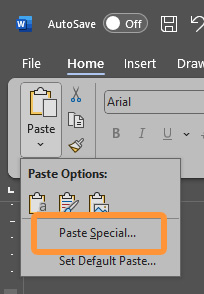
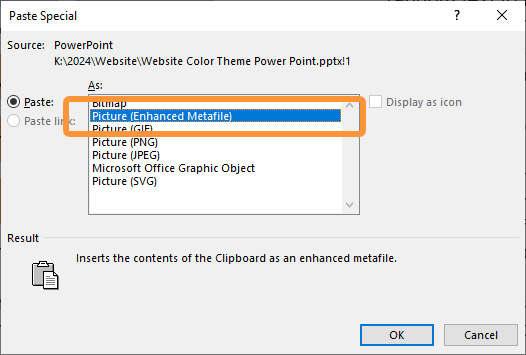
As shown in the video, you can copy the paste the diagram if you use, PASTE SPECAL, and then select, PICTURE ENHANCED METAFILE.
If you need to edit your image, make your changes in Power Point and paste the new version in.
🚩At some zoom-levels in Word, you might notice the letter spacing (kerning) looking weird. But don't worry, it will look correct again in the PDF you save from Word for submission.